Architecture issues are one of the first things we address, many times even before our kickoff meetings. Below are some increasingly difficult real client examples of issues that reared their heads & thankfully were solved swiftly.
Unfriendly Javascript Dropdowns & Links
 It's somewhere in Revelations. And I hope you buy the original of this shirt.
This is one of those low hanging issues that is easy to stop, but can take a few hours to fix.
The Problem: Two different small business ecommerce clients were having difficulty ranking their products & getting their pages crawled.
The Wrong Thing To Assume: Your website is a little newer, so of course it's going to take some time for Google to index your pages & deem them valuable.
What Actually Happened: All of the links pointing to internal product pages were in unfriendly javascript dropdowns. After seeing this in the code & confirming through multiple spider simulators, recommendations were made to change these dropdowns to be more search engine friendly.
Result: Pages were indexed, the link juice flowed, rankings & traffic started rolling in, & all was well. One actually moved into a bigger warehouse a few months later. LOVE IT when the little guys succeed.
Legacy Pages
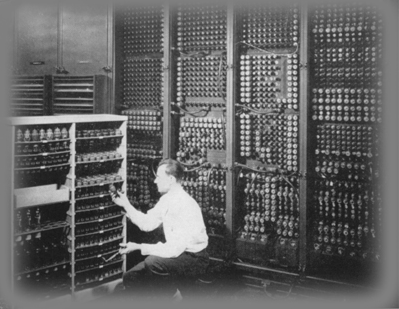 They may be old, but the history & value are important.
It really helps to have detailed knowledge when taking over an SEO project. If we didn't use Basecamp, it would have taken several hours to find this issue out vs a few minutes to type out the email.
The Problem: City pages began falling significantly in ranks. Some had no cache date in Google. The pages looked the same, but the URL structure recently changed without our knowledge (the blessing & the curse with companies who are extremely fast moving at implementing recommendations).
The Wrong Thing To Assume: These are new URLs and it takes time for Google to index them. Of course we're going to see a dip when 301 redirecting old pages to new versions. Lets give it a few days and if it doesn't come back, we'll look into it further.
What Actually Happened: 301 redirects are great. Apparently, multiple 301 redirects across different domains isn't great. Yes, the client had created new URLs necessary because of a CMS issue. Yes, the old URLs were 301 redirecting. The client was actually forced by their parent company to change domains about 3 years ago. All of these old URLs were 301 redirecting to pages on the new domain which were then 301 redirecting to the brand brand new pages.
Result: The very old pages were 301 redirected to the brand brand new pages, rankings were restored, traffic had a minor dip for one day. Without thorough notes on redirects & old recommendations, this would have been a more detrimental hit.
Canonical Happy
 I think you've gone too far...
The canonical has been great in allowing websites to tell the engines which page should receive the main value & which pages are admittedly, and necessary, mostly duplicate content.
The Problem: An optimization WP plugin was installed on a blog. A few days later, posts were suddenly being dropped from the index.
The Wrong Thing To Assume: LINKS! The blog needs more links in order for Google to gain trust. It could also be an algorithmic update, or the panda update came along and Google thinks you're some kind of content farm.
What Actually Happened: A quick look into the code showed that this new plugin automatically put the canonical tag pointing back to the blog homepage on paginated pages. This meant that every blog post that wasn't on the main blog page, therefore on a paginated page, was getting dropped from the index because the canonical deemed everything on pages like /blog/page2 as a dup.
Result: Canonical was removed from the paginated pages, posts were back in the index, all was well.
My Deep Pages Aren't Getting Indexed
Fear mongering statement about things hiding in the depths of your website.
The Problem: Once again, deep pages on a site weren't being indexed. Only about 30% of the total pages we knew about & were targeting on the site were being indexed.
The Wrong Thing To Assume: Navigation needs to be changed (I remember this one time with another client that their dropdowns were....). Also, create a new xml & html sitemap so we can submit them as well as the engines having one page where they can see all of the necessary pages. Oh, get more links too. The Google loves links.
What Actually Happened: Mandatory Cookies. In order to view a specific set of deep pages, the site made you first tell them who you were. Think of it almost like going to a deep page on a Budweiser owned site and being redirected to an "Enter your birthdate" page to ensure you're 21+.
A normal visitor would find a link to a specific product page, be redirected to the /index page, select their option & then be sent to /home.asp, which gave them a full product homepage. Sending them to the actual product page they were on is what eventually happened, but that would create an even longer explanation.
The engines would access the product page and then be redirected to the /index page. They would then click on the link that would cookie users to go to the /homepage.asp version of the site, only for the site to realize that this user didn't have cookies, which would redirect them back to the actual homepage. Continue this loop. What was overlooked in development was that spiders can't be cookied.
An Den? A friendly link was eventually placed on the homepage that allowed crawlers to pass through the site without being cookied. Hundreds more pages were indexed, traffic spiked over 100% in a matter of 1-2 months, conversions increased, the client was happy.
There are a number of steps we've previously written on how to troubleshoot potential architecture issues. Connect with me on twitter, @adammm, or post on here if you have any memorable architecture issues & how they were found and solved.